Your club tournament, without spreadsheets or stress.
OpenShuttle runs your badminton club tournaments from start to finish: entries, pool draw, schedule, control desk and display screen. On a single computer, with no internet.
Free · no account · no subscription · also for macOS and Linux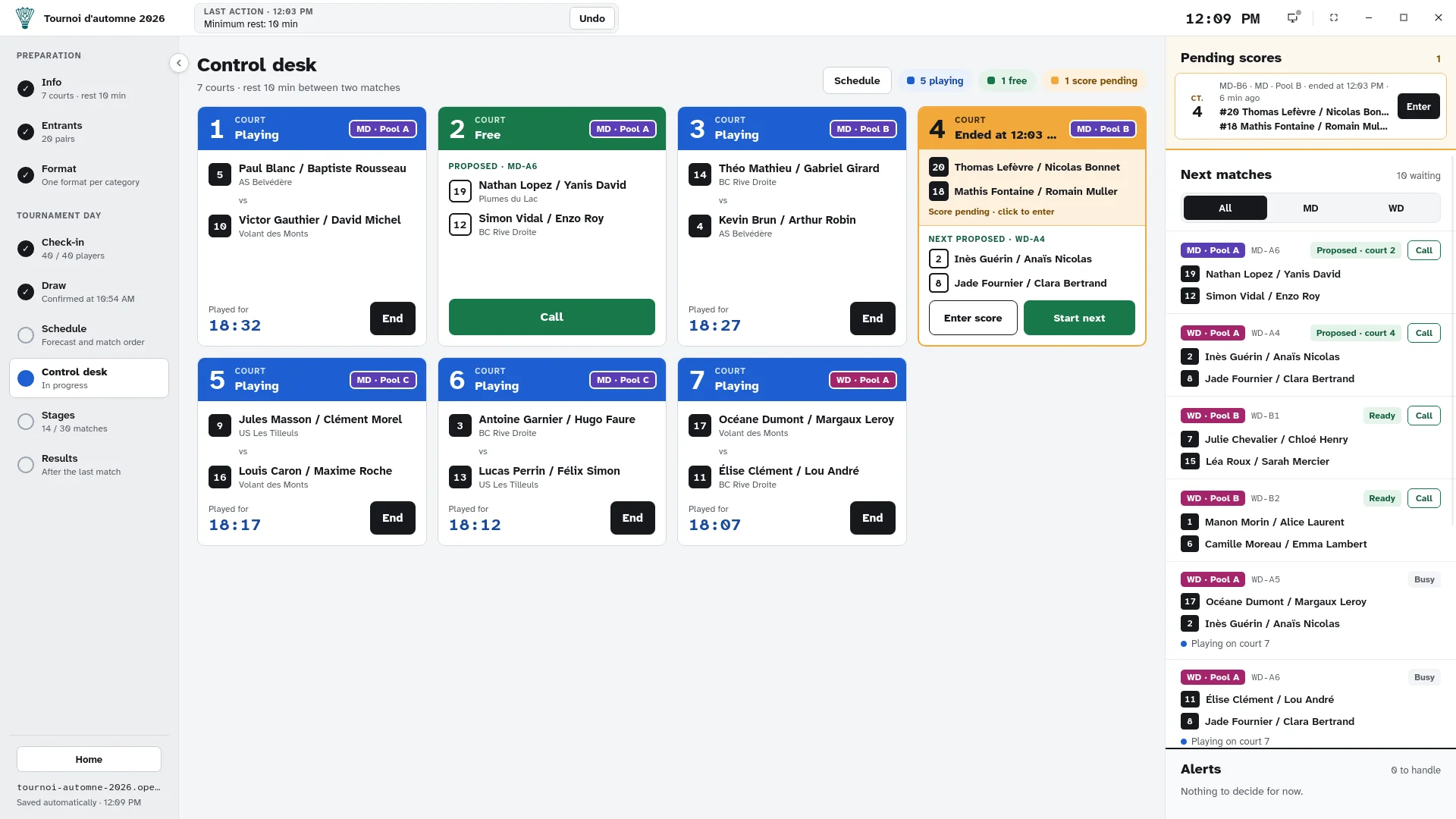
-
100% offline No wifi in the gym? No problem.
-
Two categories at once Men’s and women’s doubles on the same courts.
-
Display screen A second screen for players and the audience.
-
Everything can be undone Every action is recorded and reversible.
From entries to the podium, one tool.
OpenShuttle follows how a club tournament really runs. Each screen is a step, and the control desk always knows what comes next.
Prepare
- Entries by pair, CSV import and export
- Free format: pools, brackets, consolation, full standings
- Presets reused from one tournament to the next
Play
- One-click check-in, bib numbers handed out on arrival
- Draw with seeds, club mates kept apart in pools
- Schedule, match calls, scores, rest times
Wrap up
- Live pool standings and brackets
- Full final standings, place by place
- Results export and tournament archive
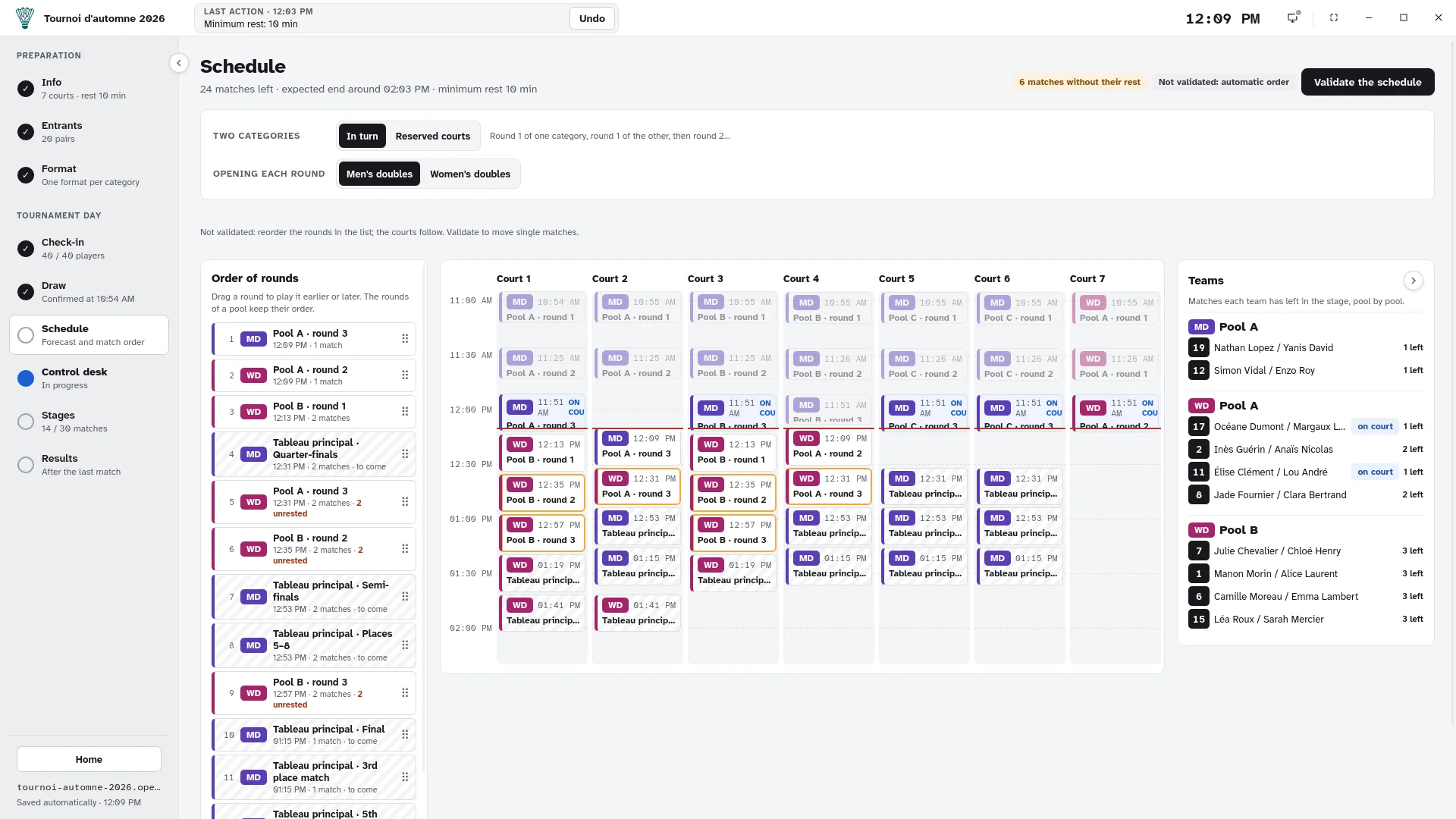
Know when everyone plays.
OpenShuttle forecasts every match, court by court, taking rest times into account. Reorder the rounds by drag and drop: the forecast updates before your eyes.
- Estimated end time of the day
- Warning when a player has not had their rest
- Courts shared or reserved per category
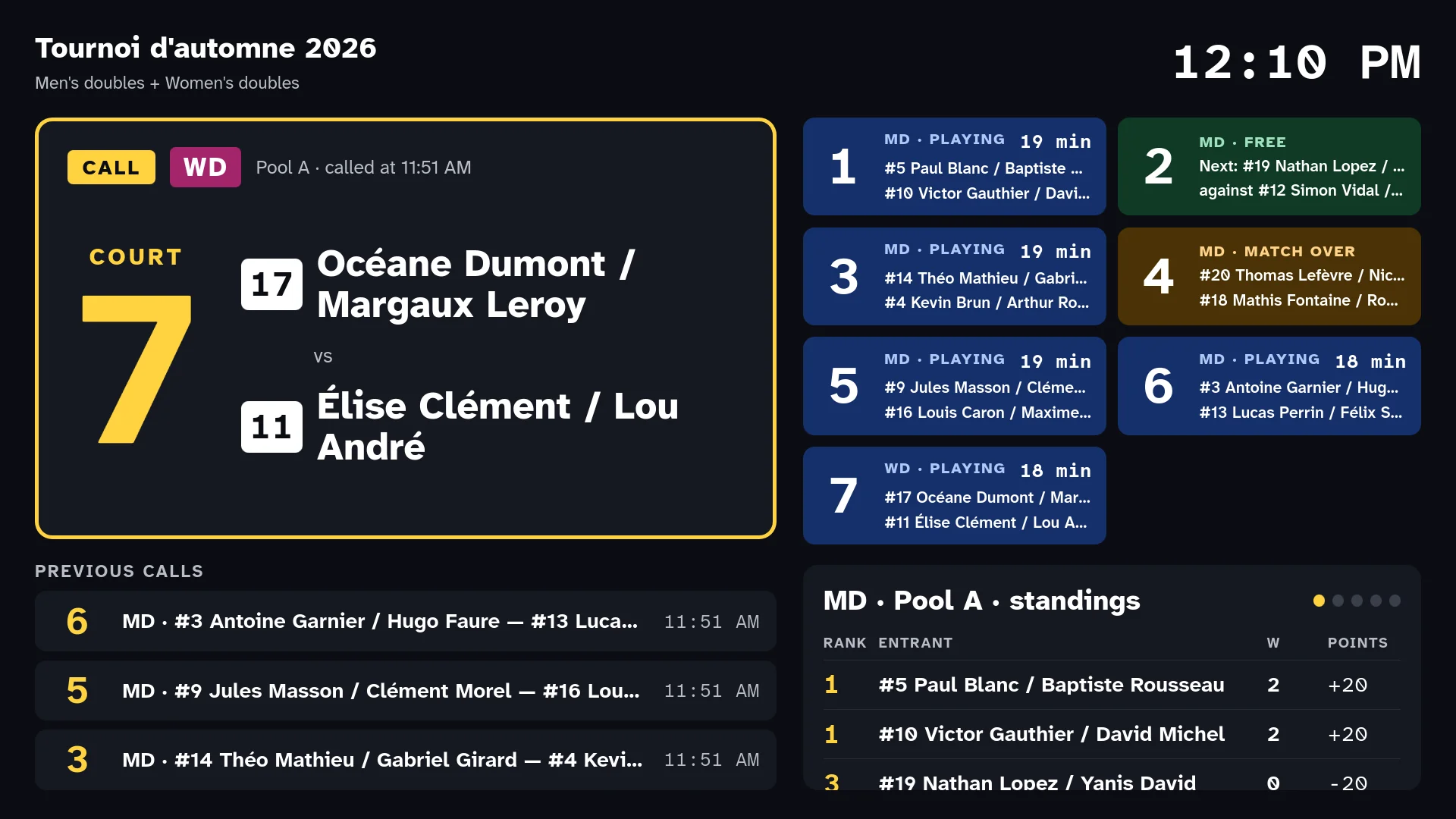
Players know where to go, no microphone needed.
Plug in a projector or a TV: the called match shows in very large type with its court, the courts in play right beside it, and the standings rotate. Readable from ten metres.
Built for a busy volunteer, in a gym.
A forfeit?
Declare it in two clicks: the remaining matches become walkovers and the standings follow.
A forgotten score?
The court goes on right away, the score waits in the pending scores list.
A typo?
Undo the last action, or correct a score from the history.
A power cut?
Every action is written to disk, with an automatic backup copy.
Your data stays with you
No account, no cloud, no ads. A tournament is a file on your computer, which you keep, copy or archive as you like.
Free and open
The code is public under the AGPL licence. An idea, a bug? Start a discussion on GitHub, contributions are welcome.
Frequently asked questions
Do I need an internet connection?
No. OpenShuttle runs fully offline, on a single computer. You only need the internet to download it.
Can I use it for sanctioned tournaments?
No. OpenShuttle is made for non-sanctioned club tournaments: internal club days, friendly tournaments, end-of-season events.
What equipment do I need?
A laptop for the control desk and, if you like, a projector or a TV for the display screen. No printer needed.
Is it really free?
Yes, with no subscription and no paid edition. OpenShuttle is free and open source software made by volunteers.
Windows shows a warning when I start it. Is that normal?
Yes, for new releases. Click “More info”, then “Run anyway”. The Download page walks you through it.
Ready for your next tournament?
Download OpenShuttle and follow the guide: a full tournament in ten steps.